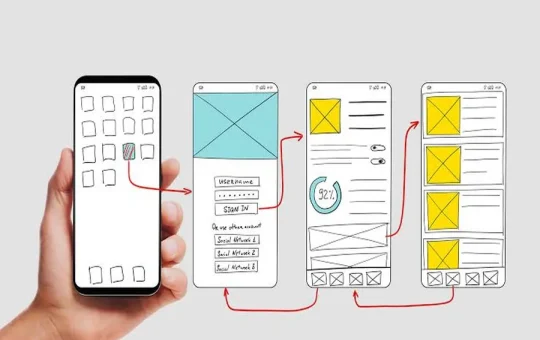
Mobile app development errors are mistakes made during the planning, design, coding, testing, security implementation and mobile maintenance phases of mobile app development that can impact an application’s success, usability, and performance. A few of these errors could include not conducting sufficient user research, interface confusion, not considering varying screen sizes, inadequate testing, weak security, slow performance, and not updating the application post-release. To prevent these issues, it is crucial to plan carefully, design with user needs in mind, engage in proper development processes, conduct extensive testing, and make continuous enhancements based on user feedback and app performance metrics.
Mobile applications are a critical component of communication, shopping, working, learning, managing money and accessing services. Consequently, companies of all sizes are investing in the development of mobile apps. Making an application is more than just coding and uploading to an application store.
Many apps end up not working because of avoidable mistakes in their planning or development. A team can become so preoccupied with features that they neglect to consider the true needs of users. Another app could be a great idea, but slow to load, hard to navigate, security issues, or inadequate testing.
Knowing these issues at an early stage can save time, money and development time. No matter if you’re creating your first application or overseeing a larger mobile product, it can be useful to know what things you should avoid doing.
If people don’t define their goals, they will never achieve them.Having no clear plan means no development.
Starting Development Without A Clear Plan
A major pitfall in mobile applications is taking the development process forward without understanding what the mobile app is intended to do.
An app must have a defined purpose. Developers and business owners should be aware of who will use it, what it fixes and why users will prefer it over other alternatives. If this isn’t the case, the development can quickly turn into a list of features without any course of action.
Teams should agree on the key goals for the app before coding it. This involves defining the target audience, key features, business objectives, and technical needs.
Market research is also of benefit. The existing applications can demonstrate user preference and disinterest. The reviews of other apps can highlight what people are saying about the apps.
The simple development plan should include answers to the following questions:
- Who will be the user(s) of the product?
- What is the issue that the app is solving?
- Which are the most significant features?
- Which platform is it best to support first?
- How much is the development budget projected to be?
- What will be considered successful?
- What will the MVP consist of?
A plan doesn’t necessarily require the building of all features ahead of time. It, on the contrary, is a basis for more effective decision-making in development.
Ignoring User Experience And App Design
The functionality of an app is not enough to make it a success if it is not easy to use. User experience should thus be taken into account from the outset and not tackled at the end of the development process.
A frequent error is putting too much information on a single screen. If there are too many buttons, menus, pop-ups and information for the user to see, they may not know what to do next.
The process of navigation should be natural. Important actions should be easily accessible and users shouldn’t have to navigate through unnecessary screens to complete a simple action.
Consistency of design is also important. The app should have a consistency in its interface elements and should be organized in a logical manner.
Accessibility should be taken into account as well as developers. Text should be legible, controls must be easily accessible for use and, where necessary, the most important information should be conveyed in more than one way, such as color.
The primary goal of good mobile app design is to enable users to accomplish their task without too much confusion. Clean interface isn’t a matter of losing features. It’s about putting those features into words that make sense.
Building Too Many Features At Once
The other common error is to build the initial version of an application to include all available features.
This can help to lengthen development time and cost. It can also cause testing to be more difficult and challenging the user experience. The more features an app has, the more valuable it is not necessarily.
The better way is to find out what the centre is about and create a minimum viable product, or MVP. The MVP should have the features required to answer the primary user problem.
For instance, let’s say it’s a food delivery app. The first version could require user sign-up, restaurant browsing, food selection, ordering, payment, and order tracking. A loyalty program, advanced recommendations, social sharing, and other options may be implemented as time goes on.
Several benefits exist with a smaller feature set:
- Faster development
- Easier testing
- Lower initial costs
- Simpler user experience
- More rapid feedback from customers.Improve customer feedback collection.
The actions and feedback of real users can be used to identify which features are important once people start using the app.
This also helps minimize the potential of creating features that users seldom use and that may take several months to develop.
Choosing The Wrong Technology Or Development Approach
The technology choices can significantly impact the performance, maintenance, and sustainability of an application.
Some teams select a technology because it’s popular. Others select a framework because it is something that the developers already know. The technology should also align with the requirements of the project, but developer experience is important.
When making the decision on which method to go about development, take into account the following:
- Required app performance
- Target operating systems
- Device compatibility
- Development budget
- Project timeline
- While there is access to talent for development, it is limited.
- Required integrations
- Long-term maintenance needs
If an application needs to closely access features of its platform or demand high performance, Native development can be beneficial. When a product is designed to run on several platforms duplicated work can be minimized.
No single technology is best for all mobile apps. The selection will depend on the product, user, technical criteria and resource capacity.
It is also a good idea for teams to avoid choosing technology that they will not be able to maintain if the need arises. If an app is technically underpinned by a poorly thought-out plan, it can seem easy and cheap to launch but hard to keep up at a cost.
Neglecting Performance, Security, And Testing
One of the first areas where users become aware of issues is performance. Inefficient loading times, application crashes, heavy battery consumption, and unresponsive screens may induce users to uninstall an application.
Optimization should be done during development so that the developer does not have to do it at the last minute.
There are a number of things that can impact performance: large images, unnecessary background processes, inefficient code, too many network requests, and poorly designed databases. Tracking these while development will help to avoid big issues later.
Security is also crucial. Personal information, payment details, account credentials, location information, or other sensitive information can be handled by mobile applications. Lack of security can put businesses and users at a high risk.
Common security concerns are:
- Poor authentication
- Insecure data storage
- Weak API protection
- Improper session management
- Unprotected network communication
- Leaks in logs.Log exposure of sensitive data.
- The user has not provided valid input.The input from the user is not valid.
Security must be taken into account in the architecture and development process and not added on as an afterthought.
One area that teams are often surprised by is testing. An app needs to be tested on various devices, OS versions, screen sizes, network conditions and usage scenarios.
Testing should include both technical and user related problems. Functional testing is used to determine if features operate as intended, usability testing is used to determine if features are easy for users to understand and perform.
Forgetting About App Store Requirements And Device Compatibility
Honestly, forget about app store requirements and device compatibility.Lay down concerns over app store requirements and device compatibility.
An app is not a standalone application. It must function in the rules and technical constraints of the distribution platforms.
The first error is making an app for just one device or screen size and expecting it to display correctly on all screens. Modern users have phones of varying displays, hardware, operating system versions and performance.
Some flexible interface elements and layouts that respond to screen size can be useful in making an app adaptable.
It’s also important for the developer to know the requirements of the app store they will submit to. There are many technical apps that are complete but are rejected during review because they do not conform with the platform guidelines.
As stated above, privacy disclosures, permissions, handling of user data, content policies and others should be taken into account at the earliest stage of development.
App permissions should be a major concern. Inappropriate requests for contacts, location, camera, microphone, or other features of a device can cause a user discomfort. Permission requests should be made when and only when it is necessary and with clear explanations.
Failing To Maintain And Improve The App After Launch
Building an app is not the end of mobile application development. It’s the start of a longer product life cycle.
The worst thing businesses can do is to think that the launch day is the end. The issues which are not faced in internal testing may be faced in real world. They will also ask for improvements or try out the app in ways you might not have thought of.
By providing regular updates, bugs can be fixed, performance can be enhanced, security can be beefed up, and potentially useful features can be added.
Key metrics need to be tracked after the launch. These can be retention, crashes, session length, conversion rates, uninstall rates, and feature usage.
Relevant user reviews are also a great source of information. Not all reviews will be helpful, but if you have repeated complaints, it may indicate real issues.
A good post launch process will typically involve:
- The analysis of crashes and performance
- Reviewing user feedback
- Fixing important bugs
- Updating security measures
- Improving usability
- Testing new features
- Supporting the newer versions of operating systems.
- Eliminating superfluous elements as appropriate
The objective is not to make updates for updates’ sake. Each update needs to be a meaningful improvement of the product.
Final Thoughts
Common mobile app development mistakes can be avoided by realizing that successful mobile app development involves more than just coding. These factors are all involved in planning, user experience, technology selection, performance, security, testing, and long-term maintenance.
Often, the largest errors are avoidable. Making sure that you have a clear product strategy can help cut down on excess development. Design decisions can be informed by user research. Issues can be identified before reaching customers through proper testing. Good security measures can help to safeguard users and the business.
One should also keep in mind that the app does not have to be flawless when launched. A short, tight and simple first version is more useful than a large, unfocused product with a hundred incomplete features.
It’s best to start with the actual need of a user, test it thoroughly, listen to the feedback, and make upgrades to it over time. Businesses can avoid typical mobile app development pitfalls and build apps that are more user-friendly, reliable, and future-proof.